Help › Settings
Settings
Settings holds the choices for your whole office: its name, call limits, greeting voice, backups and more.
Office details
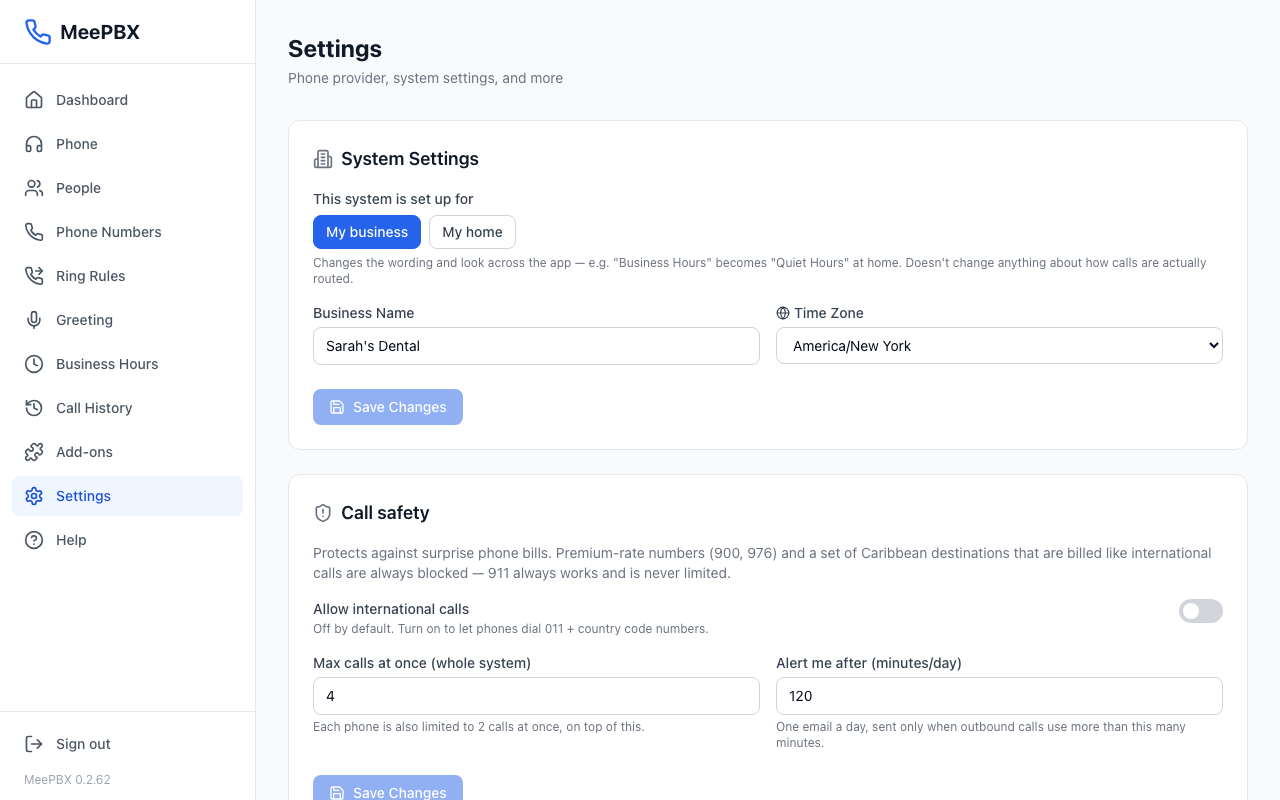
Choosing My business or My home changes only the wording. It does not change how calls are routed.
- Under "This system is set up for," click "My business" or "My home." This only changes some wording on the screens.
- Type your office name in "Business Name" ("Household Name" at home).
- Pick your time zone from the "Time Zone" list.
- Click "Save Changes." The button is faded until you change something.
Call safety
Call safety guards against surprise phone bills. Premium numbers (900 and 976) and some Caribbean numbers that cost as much as international calls are always blocked. 911 always works and is never limited.
- "Allow international calls" is off by default. Turn the switch on to let phones dial 011 and a country code.
- "Max calls at once (whole system)" sets how many outbound calls the office can have going at one time. It starts at 4. Each phone is also limited to 2 calls at once.
- "Alert me after (minutes/day)" sets a daily limit for outbound minutes. It starts at 120 minutes. When outbound calls go over it, the account owner gets one email that day with the busiest numbers called.
Make your changes, then click "Save Changes" in this card.
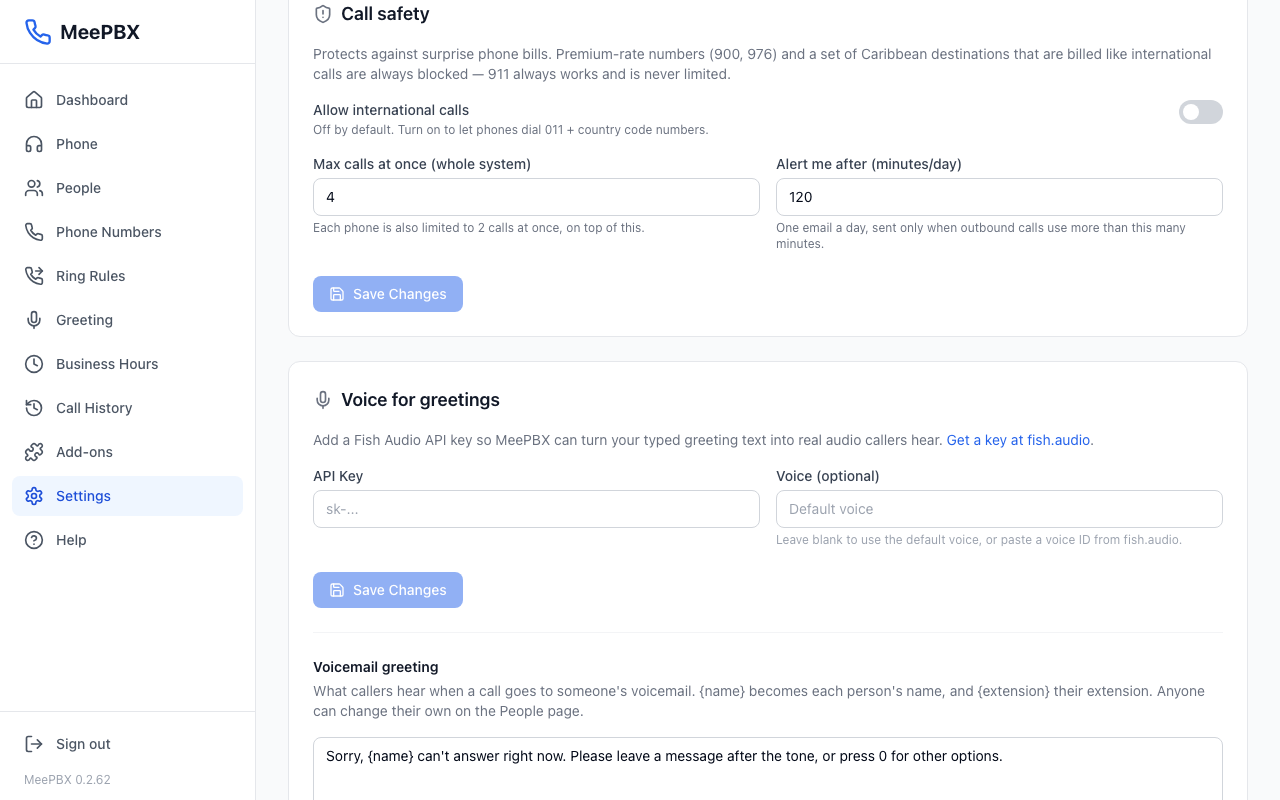
Voice for greetings
Your typed greetings are spoken in a natural voice. This is included with MeePBX, so there is nothing to set up.
Under "Voicemail greeting," type the words callers hear when they reach voicemail. {name} becomes each person's name. Business offices also get {extension} for the person's extension number. The limit is 300 characters. "Reset to default" brings back the standard greeting.
The "What callers hear" card lists every message. Edit one and click "Save messages." See Greeting.
Email for voicemail
MeePBX emails voicemail for you with nothing to set up. Save each person's email address on the People page. See Voicemail.
Phone company
This card is titled with your phone company, Skyetel or Telnyx. Follow its guided steps to connect your own account. Before you connect, you can click "Use Telnyx instead" or "Use Skyetel instead" to switch. See Phone company and numbers.
Updates
This card shows your MeePBX version. We install updates for you, so there is nothing to do here. Each update makes a backup first and rolls back if the new version fails to start.
Backups
Every night, MeePBX backs up your people, numbers, greetings and voicemail. Backups are encrypted, and the last 7 are kept.
- To make a backup now, click "Back up now."
- To keep a copy somewhere else, click "Download" next to a backup.
Tip: Download a backup to keep an extra copy somewhere else.
Sign out
Click "Sign out" at the bottom of Settings to sign this browser out of MeePBX. To sign in again, go to app.meepbx.com.
Ready to try it? Your phone system is free for 7 days, no card needed.
Join the beta: 7 days free