Help › Voicemail
Voicemail
This page helps you find the main line mailbox, set up personal voicemail, get messages by email, and check messages from any phone.
Main line mailbox
When a caller reaches the main line and nobody answers, the message goes to the main line mailbox. You listen to it on the Phone page.
- Open the Phone page.
- Under "Who's using this browser?", choose your name.
- Click "Turn on the web phone". Wait until the page says "Ready as" with your name.
- In the Voicemail box, click "Main line voicemail". At home, this button says "Family voicemail". The button calls the mailbox, so you hear the messages through the web phone.
- A number next to the button shows how many new messages there are.
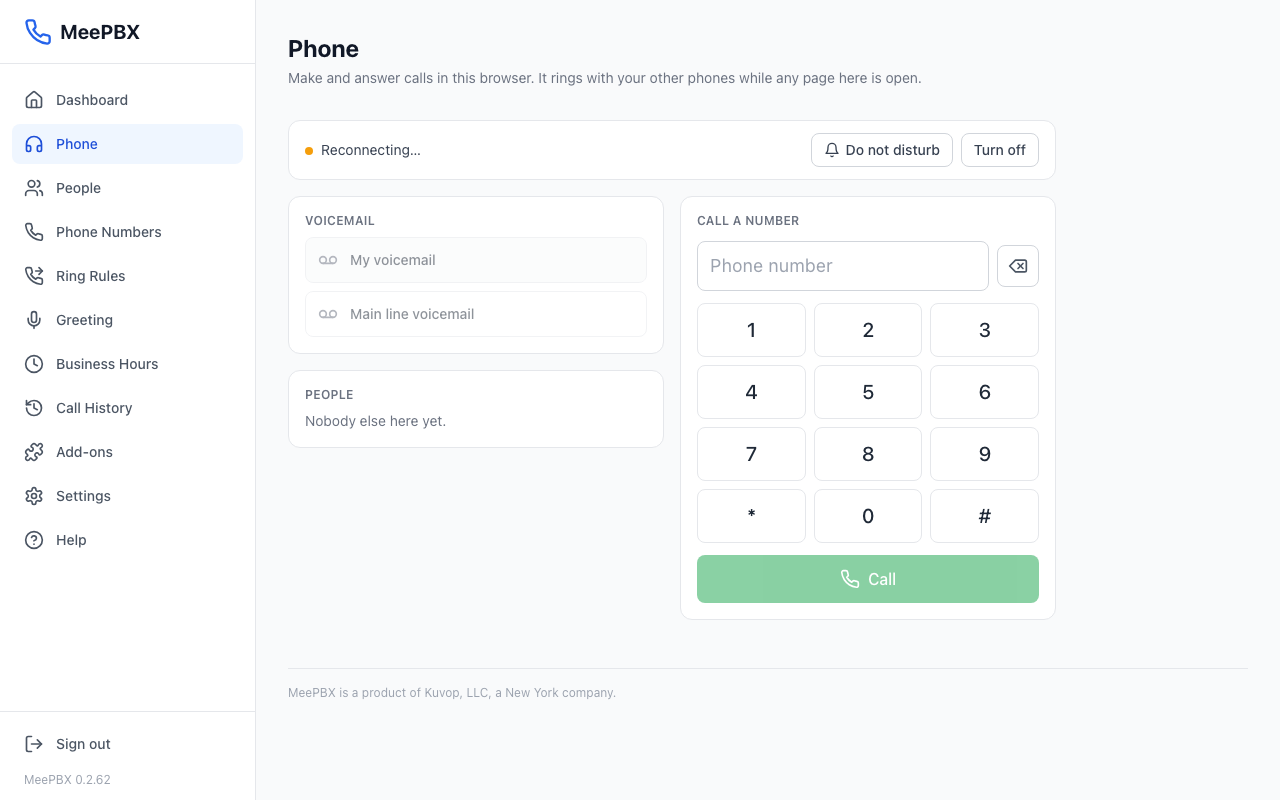
Tip: The Phone page is a try-it extra. Its voicemail buttons stay grey until the web phone is on.
Personal voicemail
Each person has their own mailbox. Each person can also have their own greeting. If a person does not write one, they hear the standard greeting.
- Open the People page. At home, this page is called Family.
- Click "Settings" on the person's row.
- Under "Voicemail greeting", click "Customize".
- Type the new greeting. Use {name} where the person's name should go. The greeting can be up to 300 characters.
- Click "Save". To go back to the standard greeting, click "Reset to default".
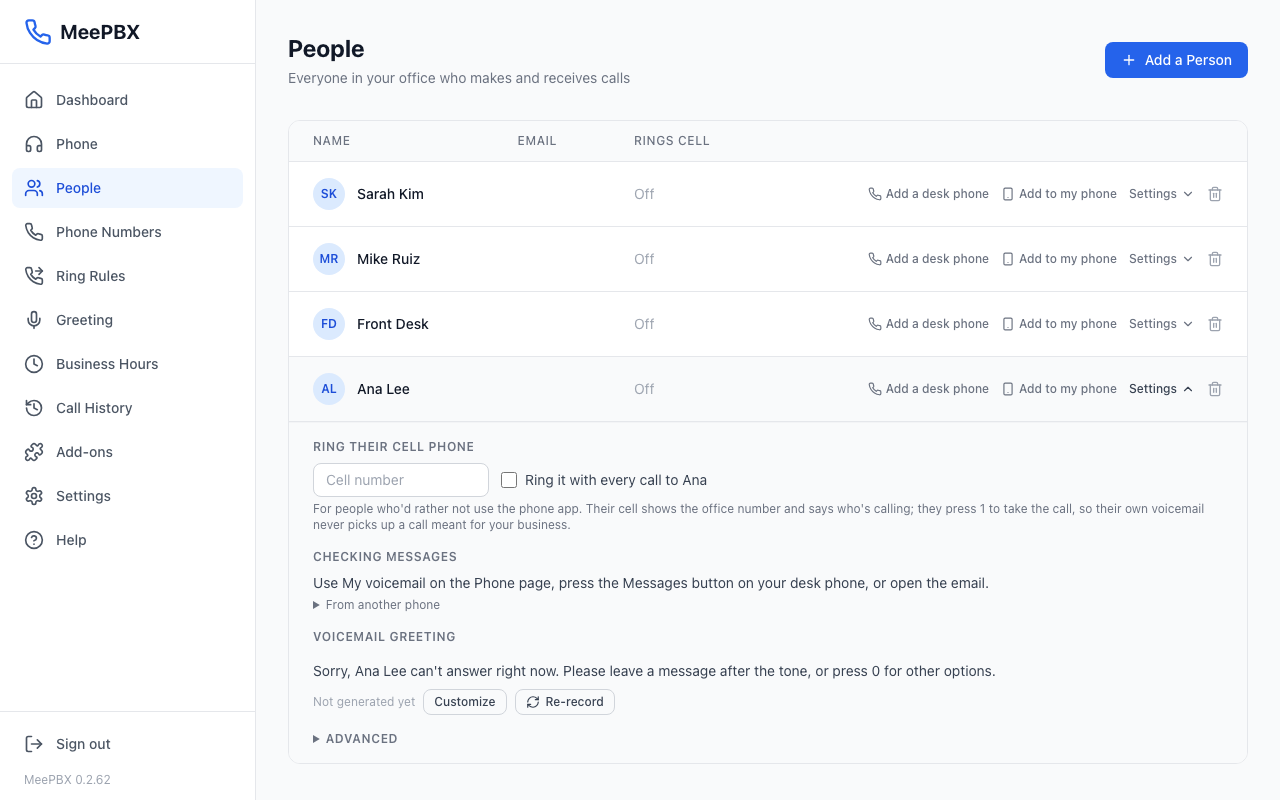
Standard greeting
This is what callers hear when a call goes to someone's voicemail. Anyone can change their own on the People page.
- Open the Settings page.
- Scroll to "Voicemail greeting".
- Change the text in the box.
- Click "Save Changes".
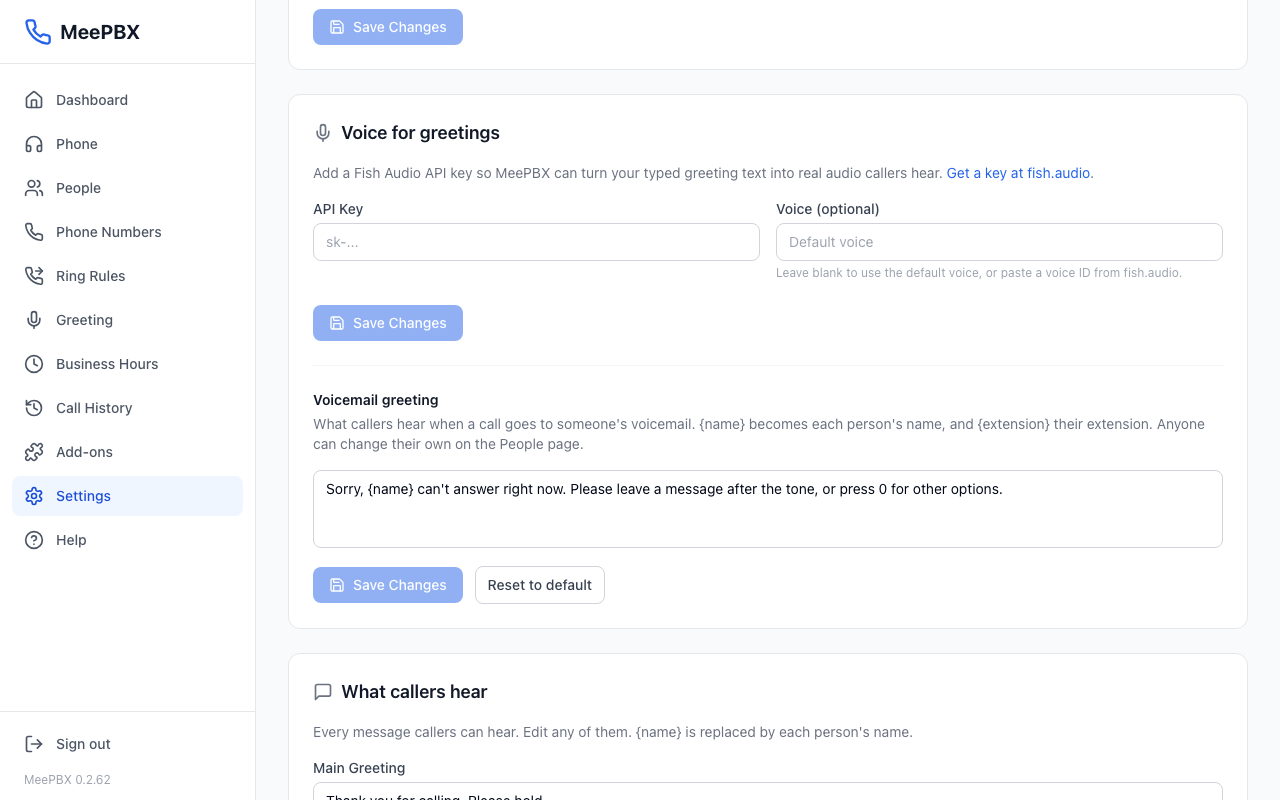
Voicemail to email
MeePBX emails each voicemail, with the recording attached. There is nothing to set up. A message left for a person goes to the email address saved on their row on the People page. A message left in the main line mailbox goes to everyone who has an email address.
To start getting email, add an email address in the box labeled "Email (for voicemail, optional)" when you add a person. Email arrives in addition to the voicemail on the Phone page.
Check messages by dialing a code
From your own desk phone or your web phone, dial *98. You hear your messages with no PIN. To hear the main line mailbox from any office phone, dial *99. No PIN is needed.
Checking your personal voicemail from a phone that is not yours is not set up for the beta. Email support@meepbx.com if you need that.
Related
Ready to try it? Your phone system is free for 7 days, no card needed.
Join the beta: 7 days free