Help › Phone company and numbers
Phone company and numbers
This page helps you connect your phone company, choose or buy a phone number, and enter the 911 address for that number.
Connect your phone company
MeePBX works with two phone companies, Skyetel and Telnyx. You sign up with them directly and pay them for your numbers and calls. MeePBX never sees your card.
To connect Skyetel, open the Phone Numbers page and do this:
- Click "Sign up at skyetel.com" and create an account. New accounts can take a little while to be approved.
- In Skyetel, add money to your balance so you can get a number.
- In Skyetel, go to Settings, then API Keys, and create a key.
- Copy the two codes into MeePBX. Paste the first into "Key ID" and the second into "Secret". Skyetel shows the Secret only once, so copy it right away.
- Click "Connect".
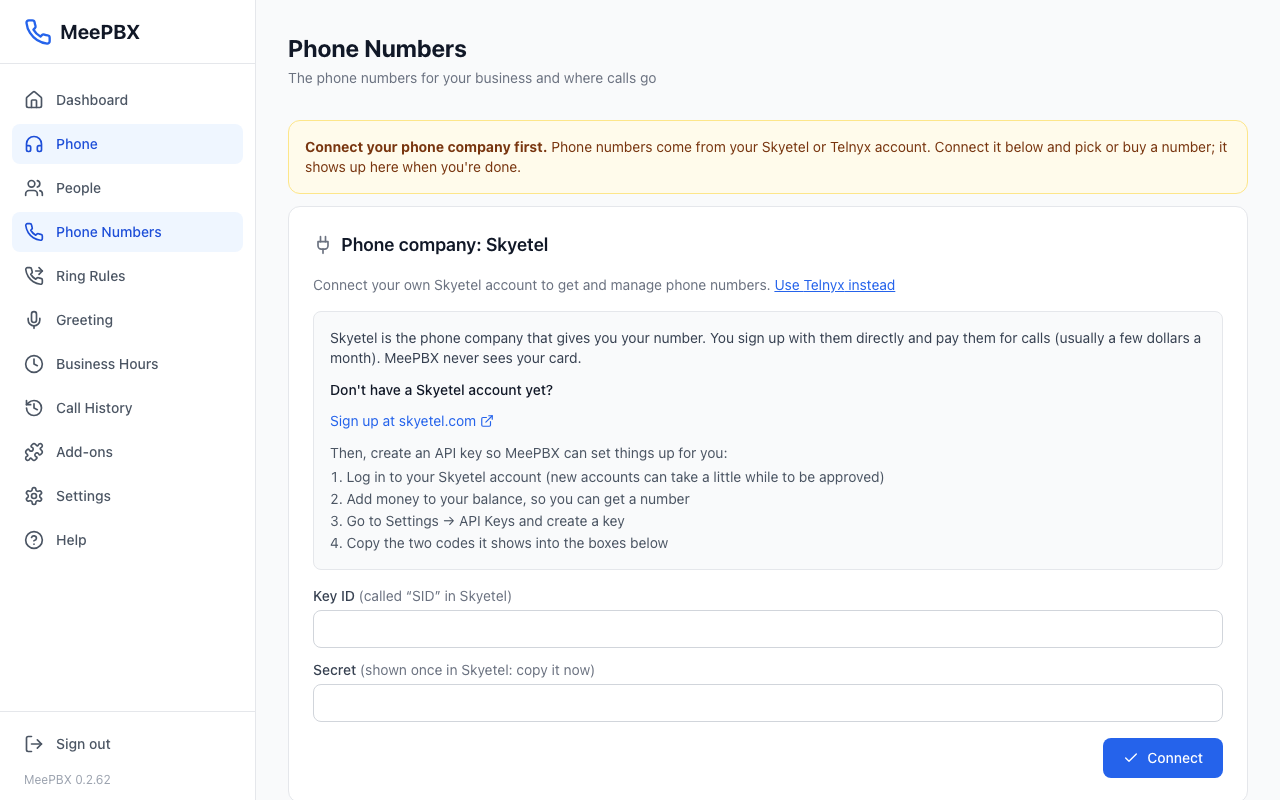
To use Telnyx instead, click "Use Telnyx instead" before you connect. In Telnyx, add money, then open Account settings, then Keys & credentials, then API keys, and create a key. Paste it into "API key" and click "Connect".
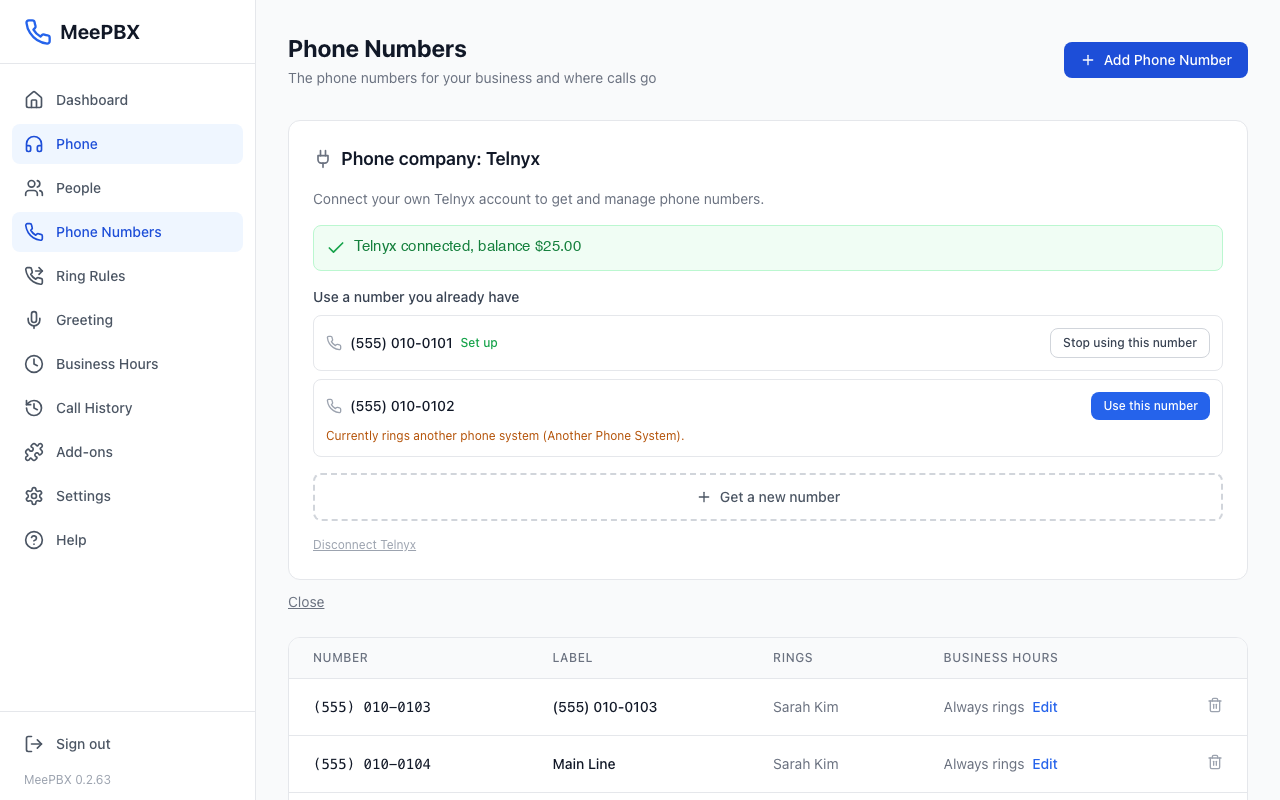
Use a number you already have
Once connected, the numbers already on your account appear under "Use a number you already have". Click "Use this number" next to the one you want. If a number rings another phone system, MeePBX asks first. Click "Move it to MeePBX" to switch it, or "Keep it where it is" to leave it alone.
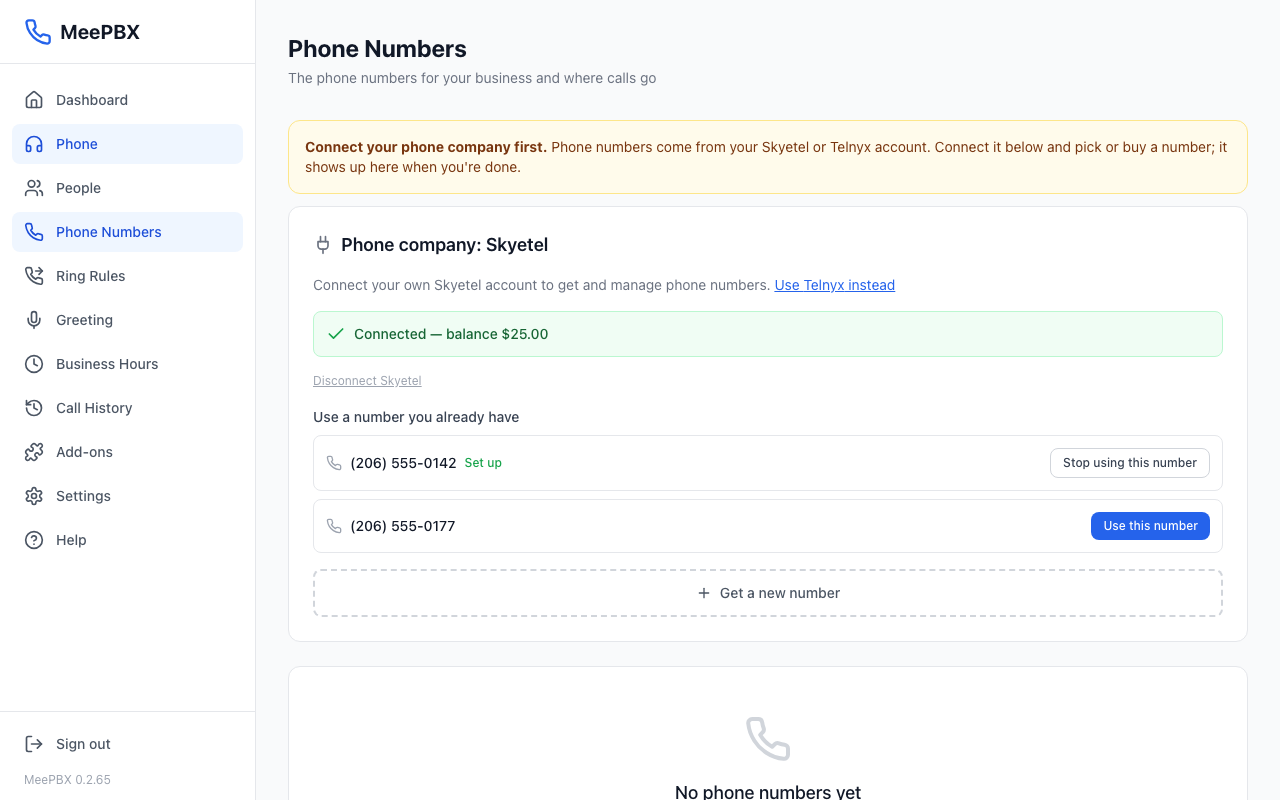
If a number marked "Set up" shows "No address for 911 calls yet" or "Skyetel's spam blocking is on," click "Finish setup" next to it. Spam blocking can stop real calls from reaching you.
Buy a new number
- Click "Get a new number".
- Type an area code, such as 971, in "Area code (e.g. 971)". With Skyetel you can type a zip code instead. Then click "Search".
- Click the number you like. Then click "Get this number" to confirm.
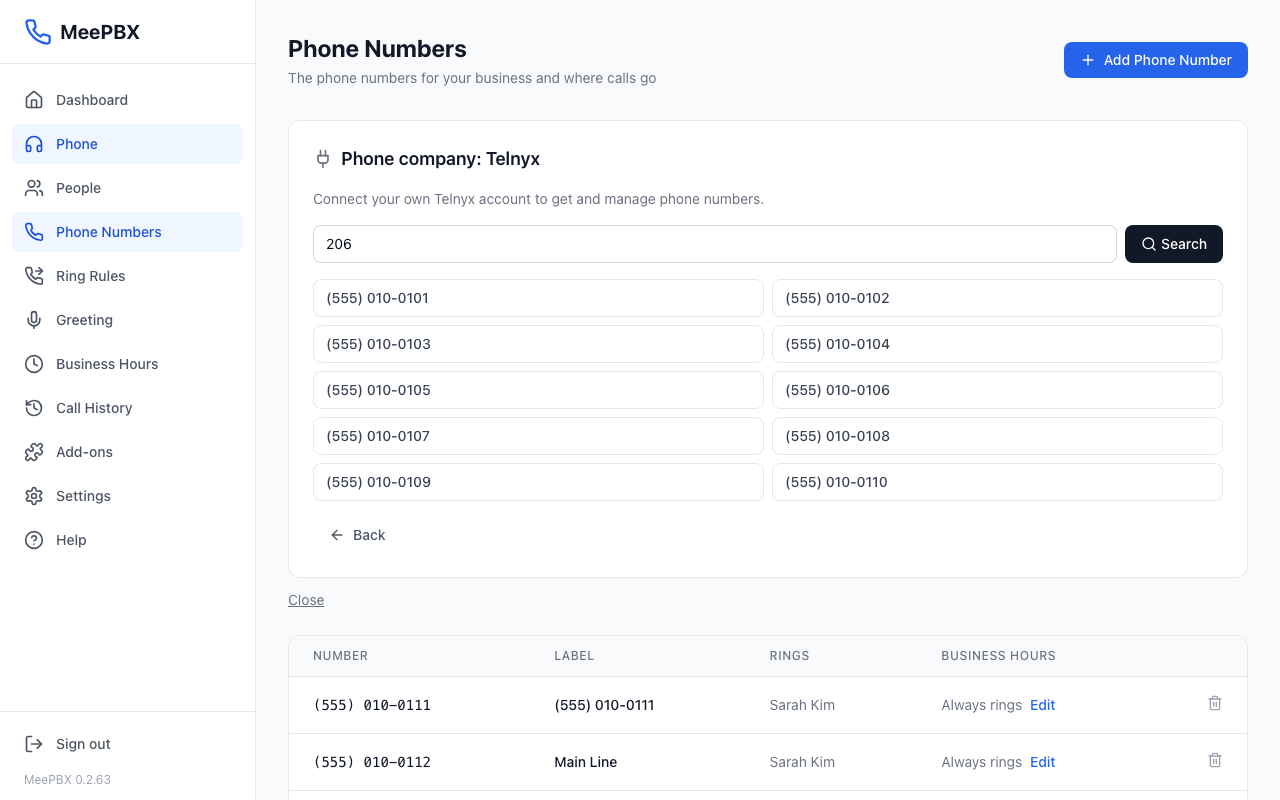
Your phone company bills you directly for your numbers and calls.
Enter the 911 address
After you choose a number, MeePBX asks for its 911 address. This step is required by law. Emergency responders see this address when someone calls 911 from the number.
- Type the business name in "Business name shown to 911 dispatch".
- Type the street address where the phones are, the city, the state, and the zip.
- "Suite / unit (optional)" can stay empty.
- Click "Done". The button shows "Setting up..." while MeePBX saves the number.
The 911 address should match the address your phone company has on file for this number.
Calls to a new number ring everyone you have added at once. If nobody answers in 20 seconds, the caller can leave a message. If the screen shows a note about where calls go, you can click "Send calls to one person instead" to choose one person to get the calls.
Warning: To test your 911 setup, dial 933. Never dial 911 to test. Read 911 and emergency alerts for more.
Add another number
- On the Phone Numbers page, click "Add Phone Number".
- Choose "Use a number you already have", or "Get a new number".
- Enter the 911 address for that number and click "Done".
Call it from another phone to test it.
Related: Getting started, Desk phones, Getting help.
Ready to try it? Your phone system is free for 7 days, no card needed.
Join the beta: 7 days free