Help › Web phone (try it)
Web phone (try it)
This page shows how to make and answer phone calls right in your web browser.
The web phone is a try-it extra. Your desk phone is still the main phone for your office. Use the web phone to see how calls work, or when you need to make a call from a computer.
Turn it on
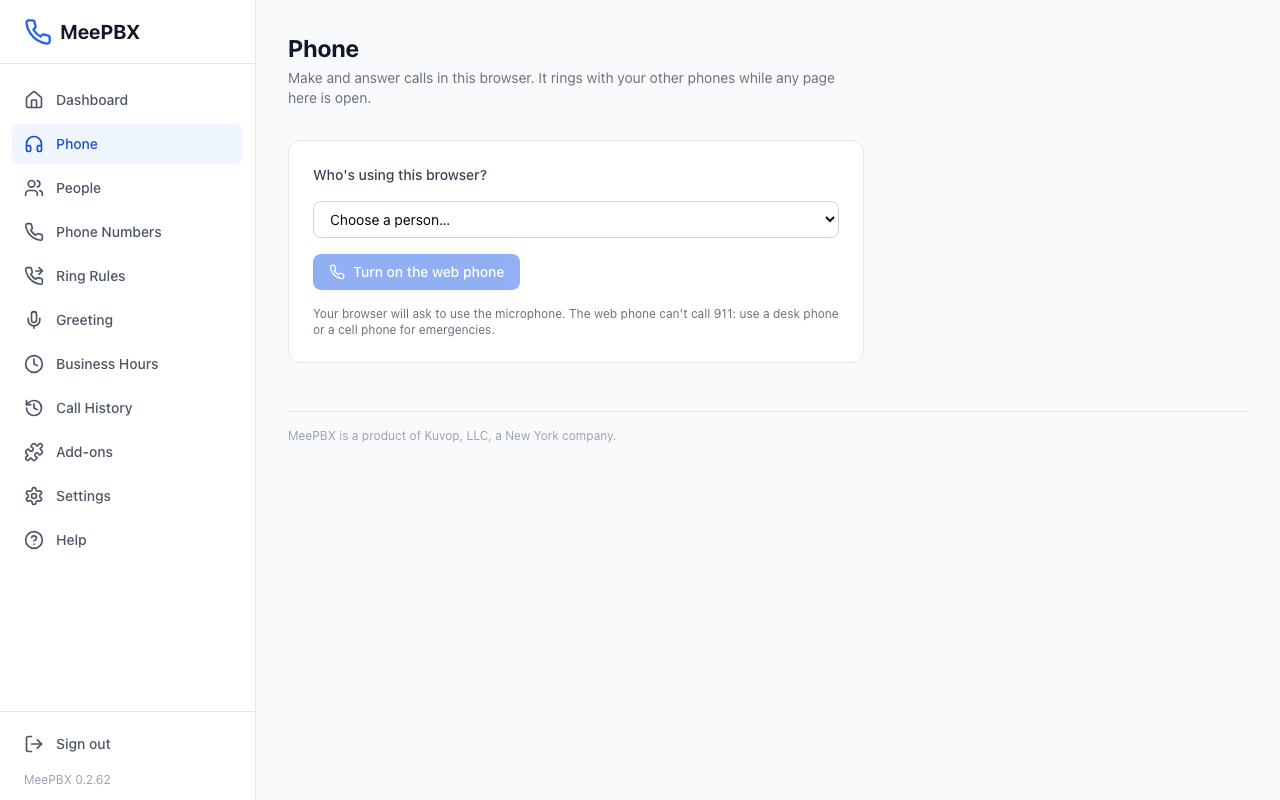
- Open the Phone page.
- Under "Who's using this browser?", open the list and choose your name.
- Click "Turn on the web phone".
- If your browser asks to use the microphone, click Allow.
- Check the top of the page. It says "Ready as" and your name. A green dot means the web phone is ready.
Make a call
To call someone in your office, use the "People" list.
- Find the person's name in the "People" list.
- Click "Call" next to their name.
To call a phone number, use the "Call a number" box.
- Type the number in the "Phone number" box, or click the number buttons.
- Click the green "Call" button. Pressing Enter also calls.
Tip: Calls to outside numbers need your phone company to be set up first. See Phone company and numbers.
Answer a call
When a call comes in, a box titled "Incoming call" appears. It shows who is calling. It appears on other pages too, so you can keep working.
The web phone only rings while a MeePBX page is open in your browser. If you close the page, your desk phone still rings.
- Click "Answer" to talk.
- Click "Decline" to send the call away.
While you talk, the box shows how long the call has lasted. Click "Mute" to stop your voice from being heard, and "Hang up" to end the call.
Do not disturb and turn off
Click "Do not disturb" to stop this browser from ringing. Click it again to turn ringing back on. Click "Turn off" to stop the web phone in this browser.
Warning: The web phone can't call 911. For an emergency, use a desk phone or a cell phone. Never test 911. To test your 911 service, dial 933 from a desk phone. See 911 and emergency alerts.
Related help
Questions? Email support@meepbx.com. Support is open weekdays, 9 to 5 Eastern Time.
Ready to try it? Your phone system is free for 7 days, no card needed.
Join the beta: 7 days free